Give each repair one job record and make the next action visible. At intake, the record says what arrived and what the customer reported. At diagnosis, it says what the technician found. When the customer decides, it identifies the estimate they saw. At collection, it shows which checks were completed and who handed the item over.
Work-order software often distinguishes the work itself, its scheduling, and its review. Microsoft Dynamics 365 Field Service, for example, models work-order and booking statuses separately. For a small shop, the useful idea is to give each status a practical meaning so the next person can act on it. Microsoft work-order lifecycle
Design each handoff around one decision
| Stage | What the record needs to answer |
|---|---|
| Intake | What came in, in what condition, with which accessories, and how should the customer be contacted? |
| Diagnosis | What did the technician find, what can they test, and what remains uncertain? |
| Estimate | What work and parts are included, which revision was sent, and when does it need a decision? |
| Approval | Who accepted or declined which revision, when, and how was the decision recorded? |
| Repair and checks | What work was performed, what is waiting for parts, and which checks still need to pass? |
| Ready and collected | Has the customer been told it is ready, and when was the item handed back? |
Capture the minimum useful details at intake. Make the job number easy to find and use it across notes, estimates and messages. A photo can help show the item’s condition if the shop has a clear reason to keep it and controls who can see it. Separate useful workshop notes from the status and estimate the customer needs.
Treat a revised estimate as a fresh decision
Suppose a customer approves a pressure washer repair after receiving an itemised estimate. During the job the technician finds another fault. Create a new revision with the proposed change and route it to the customer. Keep the original decision on record and record what must wait while the new revision is under review. The technician and the customer should both be able to tell which scope is currently approved.
Give delays their own meaning. A job waiting for parts needs a named person to check availability and update the customer. A repaired item that still needs a quality check needs a different next action. Keeping those states distinct makes the work queue easier to use at the start of a shift.
See the workflow in BENCH
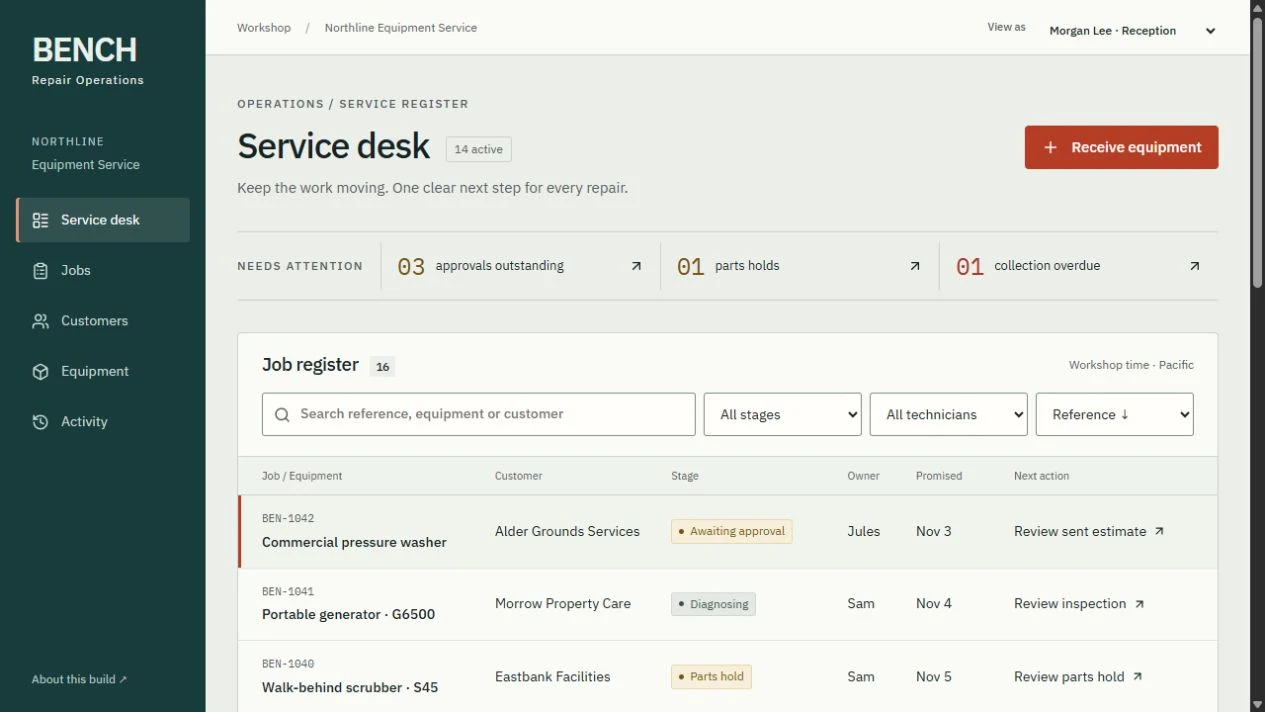
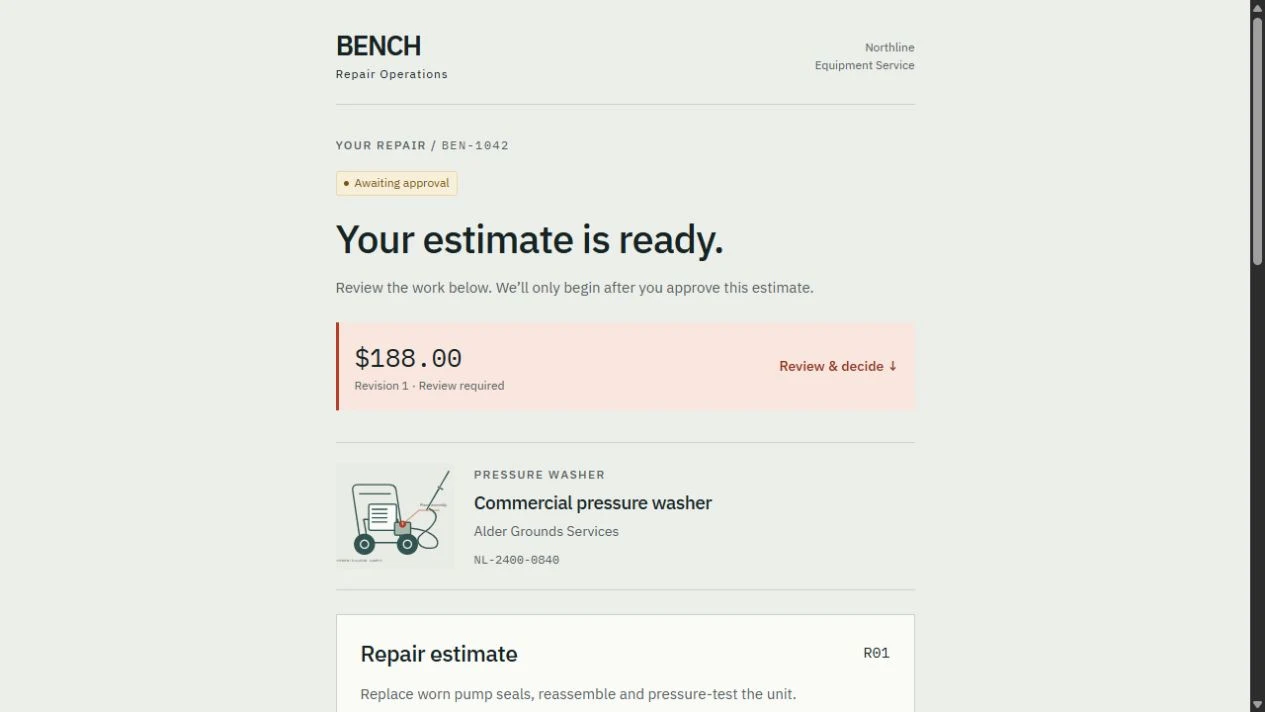
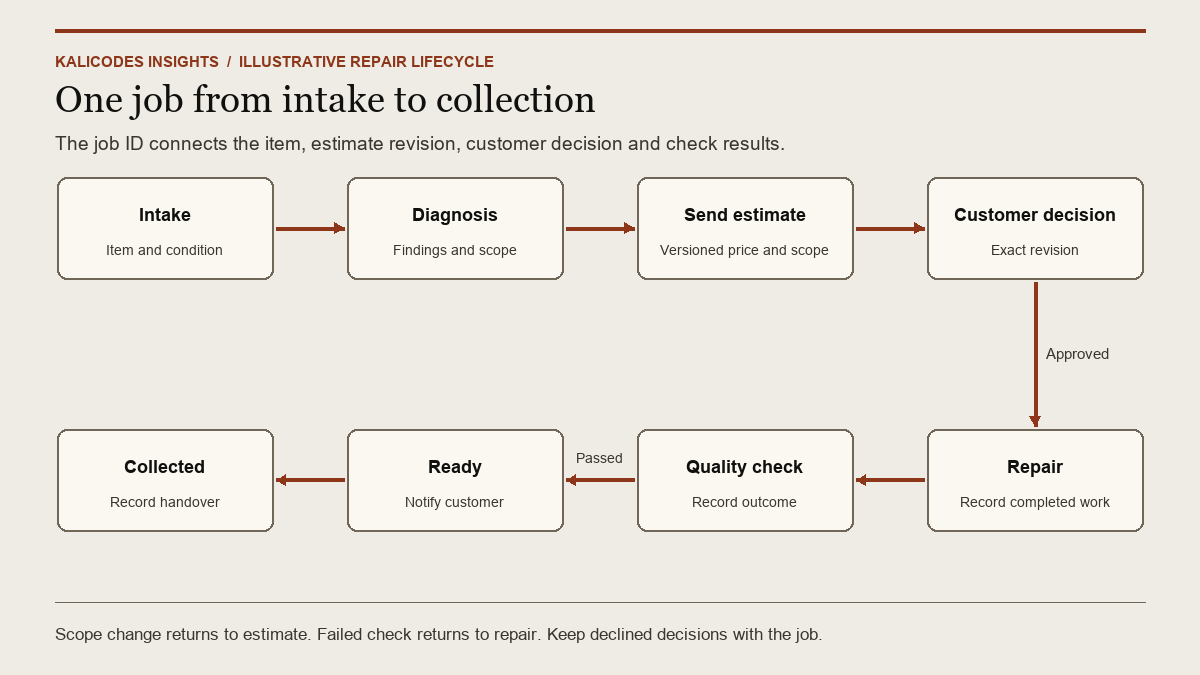
The lifecycle begins with a single job ID. After diagnosis, staff send an estimate for approval. Approved work proceeds to repair and quality checks, then moves to ready and collected. A scope change returns to the estimate stage with a new revision. A failed check returns to repair before collection. A declined estimate can close the agreed work with its decision retained. Copy the repair job workflow template
Trial the process using real scenarios
Take a representative set of jobs through a draft workflow. Include a missing part, a declined estimate, a revision, and work that failed its first check. Have one person play reception, another work as the technician, and a third use the customer view. Ask each person what they would do next and what information they need to do it.
Once the basic flow works, compare the age of jobs awaiting approval, time spent chasing updates and the number of times staff re-enter the same details. Use those measures to decide where automation would help, such as sending a status reminder after the correct approval stage.
The BENCH working concept shows this sequence with a fictional equipment repair business. Its example follows a pressure washer through estimate revision, customer approval, quality checks and collection. If your process breaks at one of those handoffs, that is a useful starting point for a Business Systems conversation.
Practical resource
Repair job workflow template
Use one job ID from intake to collection. Capture the exact estimate revision accepted and the work that must wait if the scope changes.
Worked example · hypothetical
In the fictional pressure-washer example, the customer approves the first estimate. A newly discovered fault requires a separate revision. Keep the approved scope visible and wait for the revised decision before starting additional work.
Reference notes
| Stage | Required record | Release test |
|---|---|---|
| Intake | Received item, condition, reported issue and relevant accessories | Receipt and workshop refer to the same job ID. |
| Diagnosis | Findings, proposed work and unresolved checks | Someone else can find the decision that needs customer input. |
| Estimate | Revision ID, itemized scope and date sent | Customer sees the intended current revision. |
| Approval | Decision, time and exact revision | Changing scope creates a fresh decision. |
| Repair | Work performed, parts or access delays and next action | Staff see what is authorized. |
| Quality check | Checks, recorded outcome and any rework | Failed check routes to repair with an owner. |
| Ready and collection | Status update and collection confirmation | Completion follows successful checks and the item is traceable. |
Pilot a missing part, a declined estimate, a revision and a failed check with fictional data. A shop can add retention and visibility rules based on the records it needs to keep.
Blank worksheet
Fill in a copy in this browser or print a blank sheet. Entries stay on this page. Use business references in the notes.
| Prompt | Your notes |
|---|---|